Outlook to Notes Converter to Convert PST to NSF
Are you switching from Outlook environment to Lotus Notes?
We SysTools Software team offers you Microsoft Outlook to Lotus Notes migration program. Software works greatly. It is a unique solution to convert all your Outlook mails to Lotus Notes .NSF files. With our Outlook to Notes Converter program you can be sure that software moves your Outlook .PST file data to Lotus Notes.
Our Outlook to Notes Conversion tool supports several popular conversion methods which helps users to read their MS Outlook data in Lotus Notes .NSF file. You will also pleased to know that SysTools Outlook to Notes software converts Outlook mails and other Outlook items like Microsoft Outlook emails, journals, to do list, notes task & many more.
Try SysTools Outlook to Notes Converter Free Now
SysTools Outlook to Notes Converter utility combines ease of use with a lot of advance powerful features and advanced functions all packed in a very little space on your desktop. Software is intended to move all your Outlook details to Lotus Notes very easily.
| SysTools Outlook to Notes Converter Tool | Solution |
| Software quickly converts MS Outlook emails to Lotus Notes .NSF file | |
| Convert Outlook emails along with properties i,e to, cc, bcc, attachments, sent etc | |
| Contacts MS Outlook Address Book to Lotus Notes Address Book | |
| Outlook to Notes Convert Configured or Orphan Outlook PST Files to Notes | |
| Saves Outlook emails in Lotus Notes NSF file format | |
| Software correctly retains sender email address when viewed in Lotus Notes | |
| Allows user to convert Unicode & Ansi MS Outlook PST file to Notes NSF file |
Outlook to Notes software built with advance technologies able to help users to read or access Outlook mails and other elements to Lotus Notes. It converts multiple or unlimited Outlook items at a time. So now just enjoy the conversion process SysTools Outlook to Notes Converter software in a simple way.
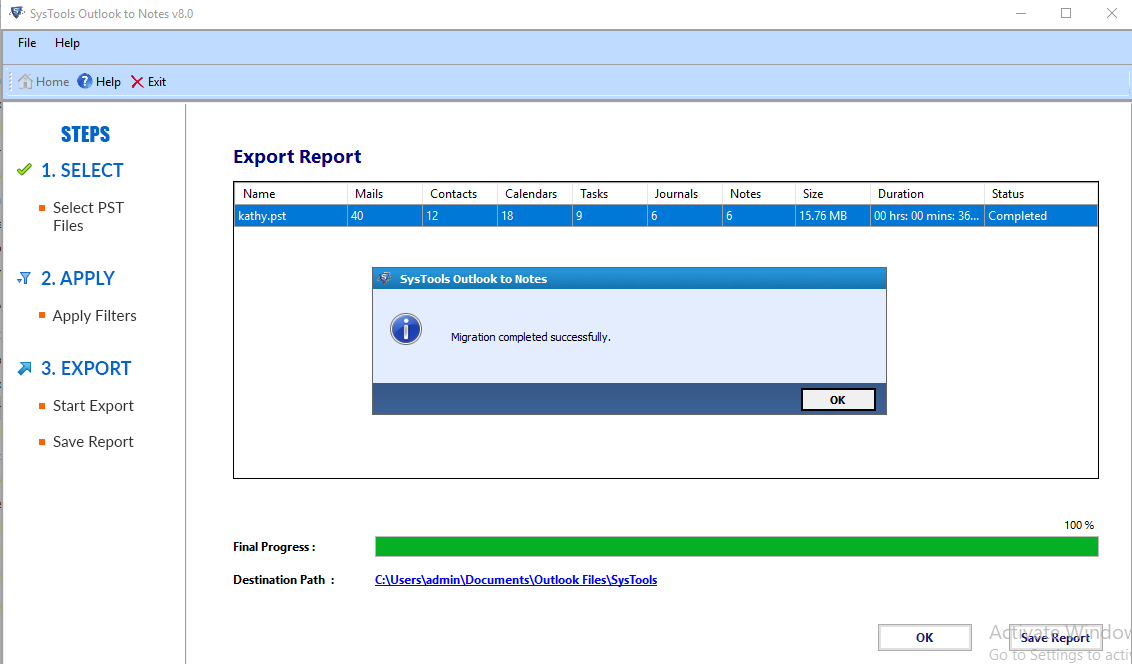
SysTools Transfer Outlook to Lotus Notes Converter software is a super effective email migration tool which easily helps users to export MS Outlook emails and other items to Lotus Notes .nsf file. Emails, contacts, calendars, journals, appointments, schedules, alarms, email properties, text formatting, Unicode characters are quickly exported from Microsoft Outlook .PST file format to Lotus Notes .NSF file with SysTools Outlook to Notes Conversion tool.
Did you know that now it is being very easy to move your Outlook mails to Lotus Notes?
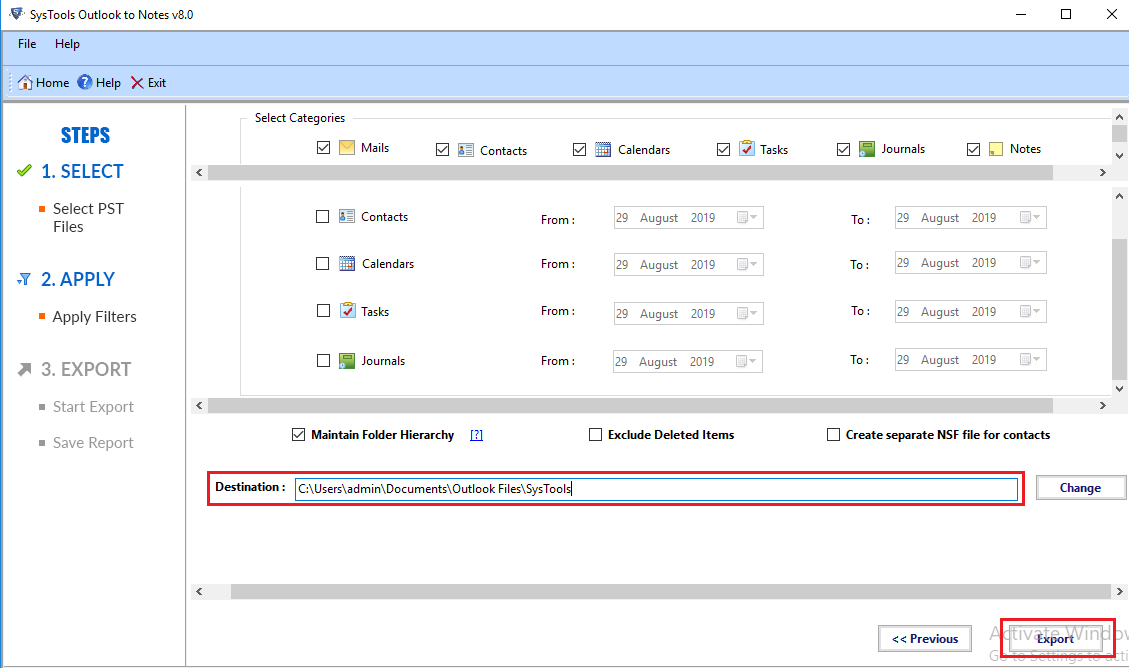
Now it's being very easy & simple to Migrate PST to NSF using SysTools PST to NSF utility. Software simply ensures consistency in conversion of Outlook data to Notes. It does not change contents of email data & properties, calendar entries & address book details while performing the migration. Now successfully transfer Outlook email data with SysTools Outlook to Notes Converter tool and save the migrated Outlook email data in newly created Notes .nsf file or existing nsf file. Software will save the converted Outlook item at the defined NSF file location.
SysTools Converter for Outlook to Lotus Notes
To perform Outlook to Notes Conversion process, You must have the following installed on your PC. Software supports :
- Microsoft Outlook 2007/2003/2002/XP/2000 or 97
»Required for DEMO Version and FULL Version to Work - Lotus Notes Client Software v8.0 or v7.0 or v6.5 or v5.0.
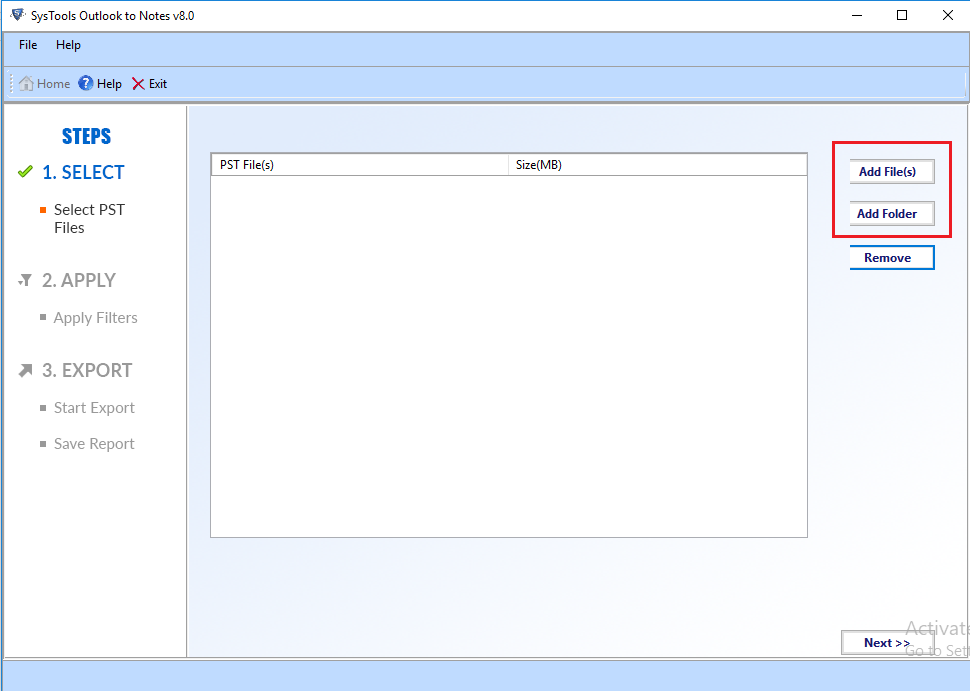
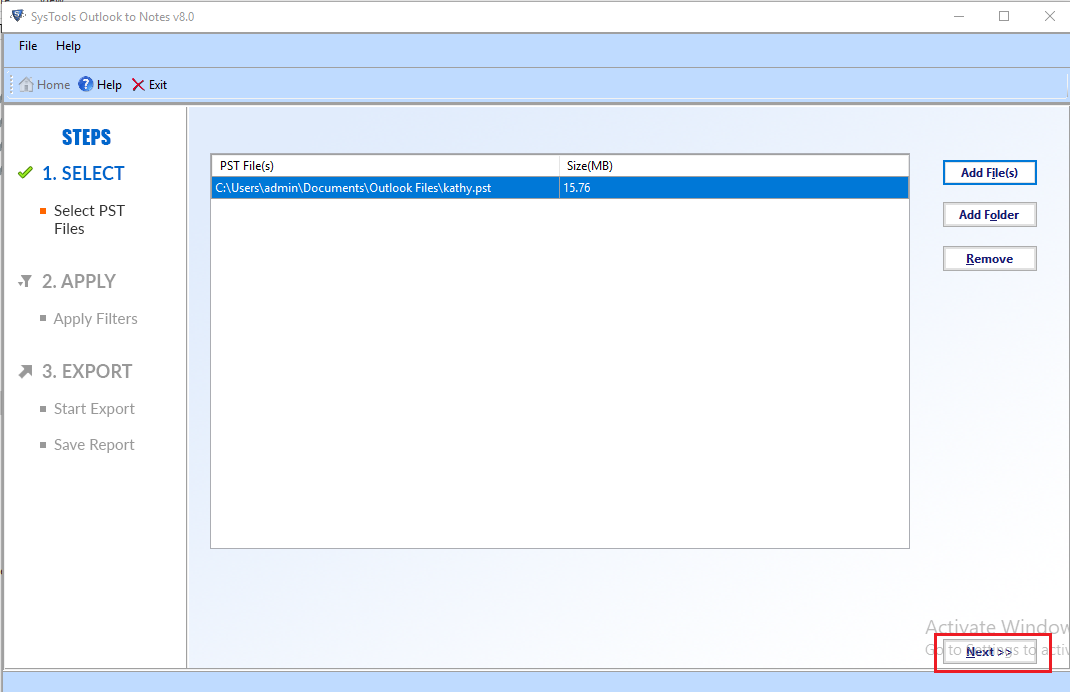
SysTools Outlook to Notes Converter program completely scans the Outlook PST file and then lists the outlook file items. You can view preview of every item and check them for accuracy and correctness. The converted items can be saved to a new .NSF file or to any existing .NSF file. Its easily helps you to read all your Outlook .PST file data in Lotus Notes .NSF file.
Related ProductsConvert Outlook Contacts tool for converting PST Contacts only
Windows Address Book Converter tool for converting WAB Contacts to Outlook


We provide technical support to our customers 24x7. We are here to handle all your queries related to Lotus Notes Converter software to convert Lotus Notes to Outlook.